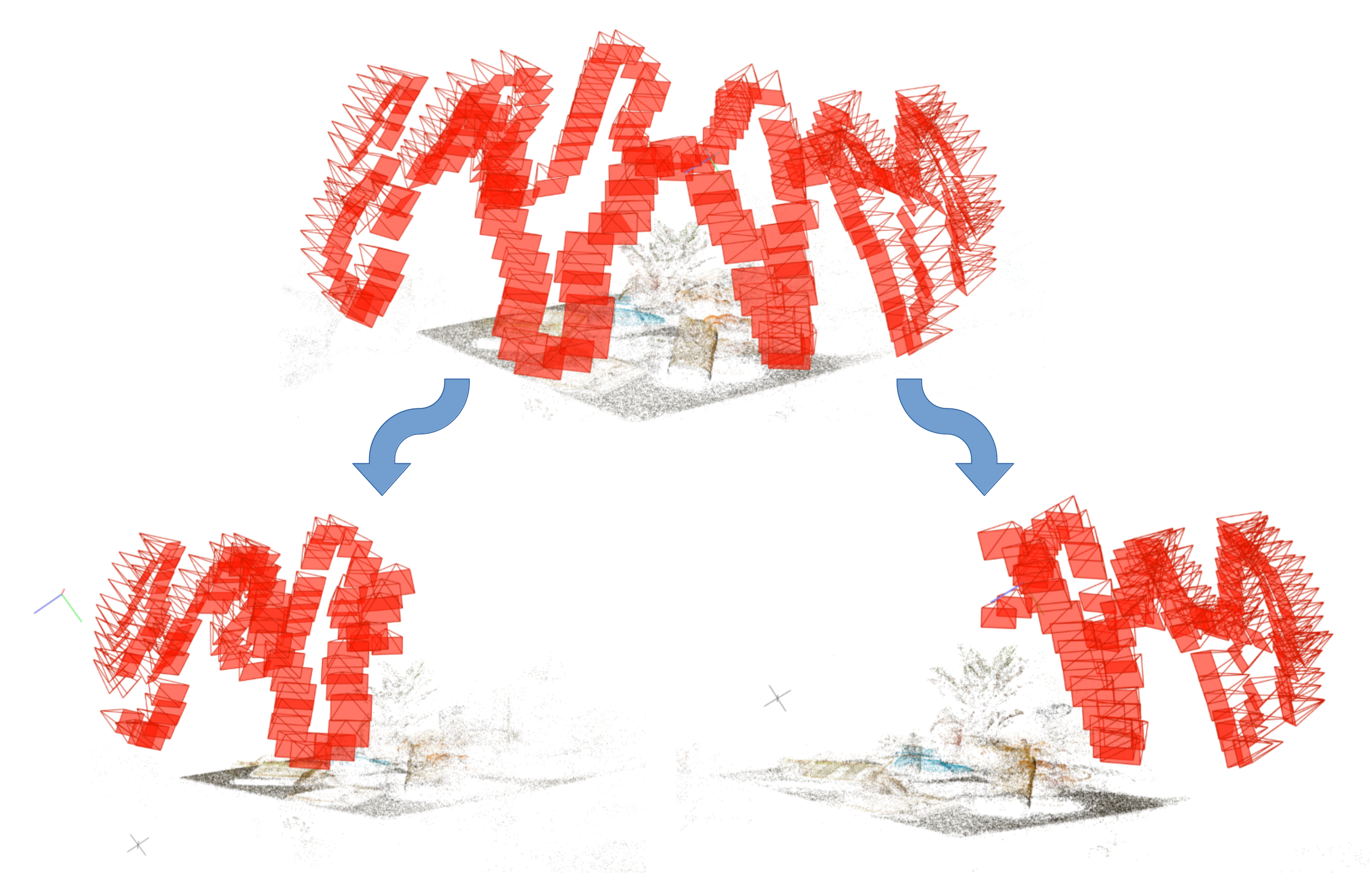
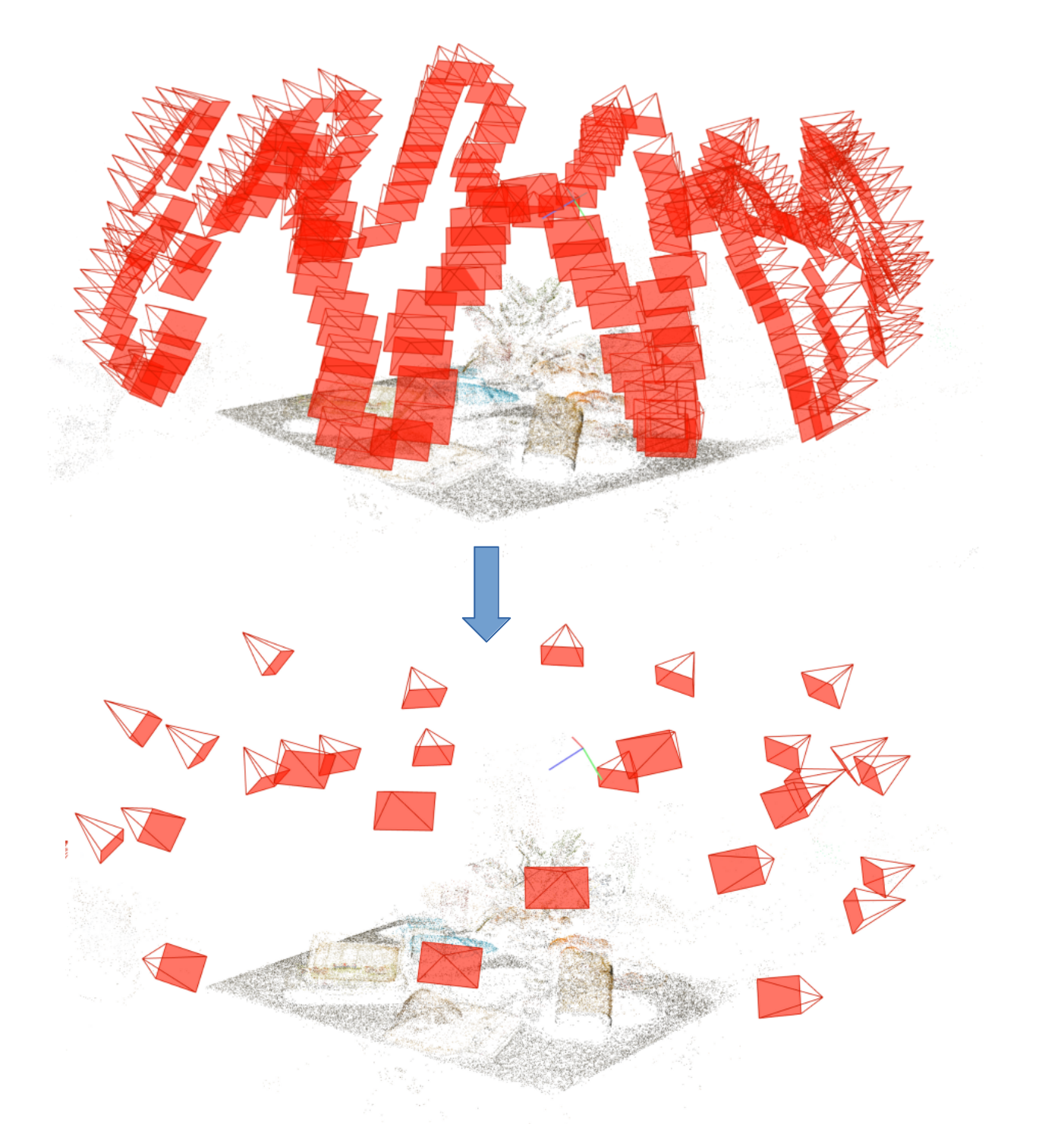
Splat-by-Splat
Progressive Gaussian Splatting for Efficient Scene Reconstruction
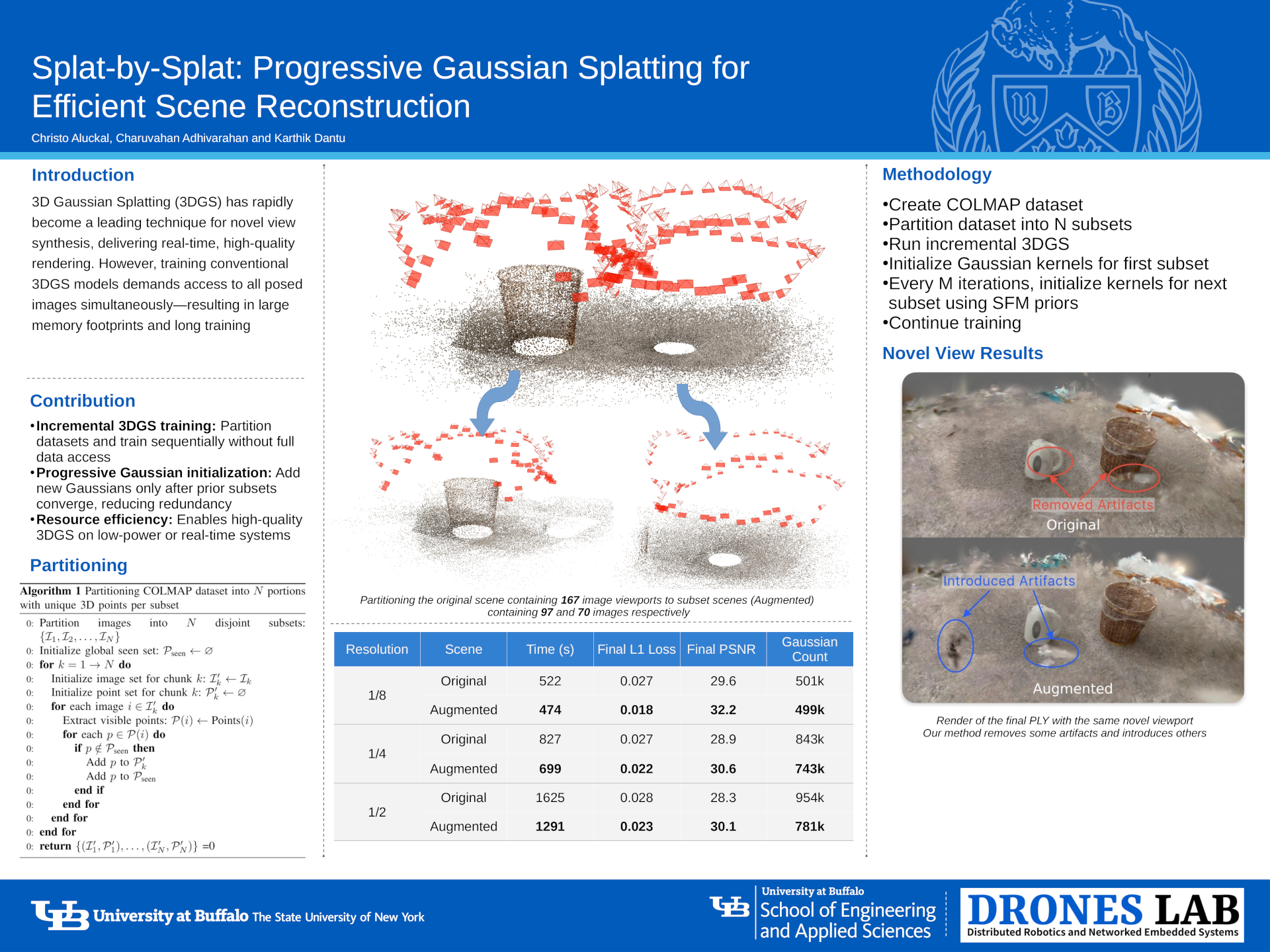
NERC 2025 Poster
Results
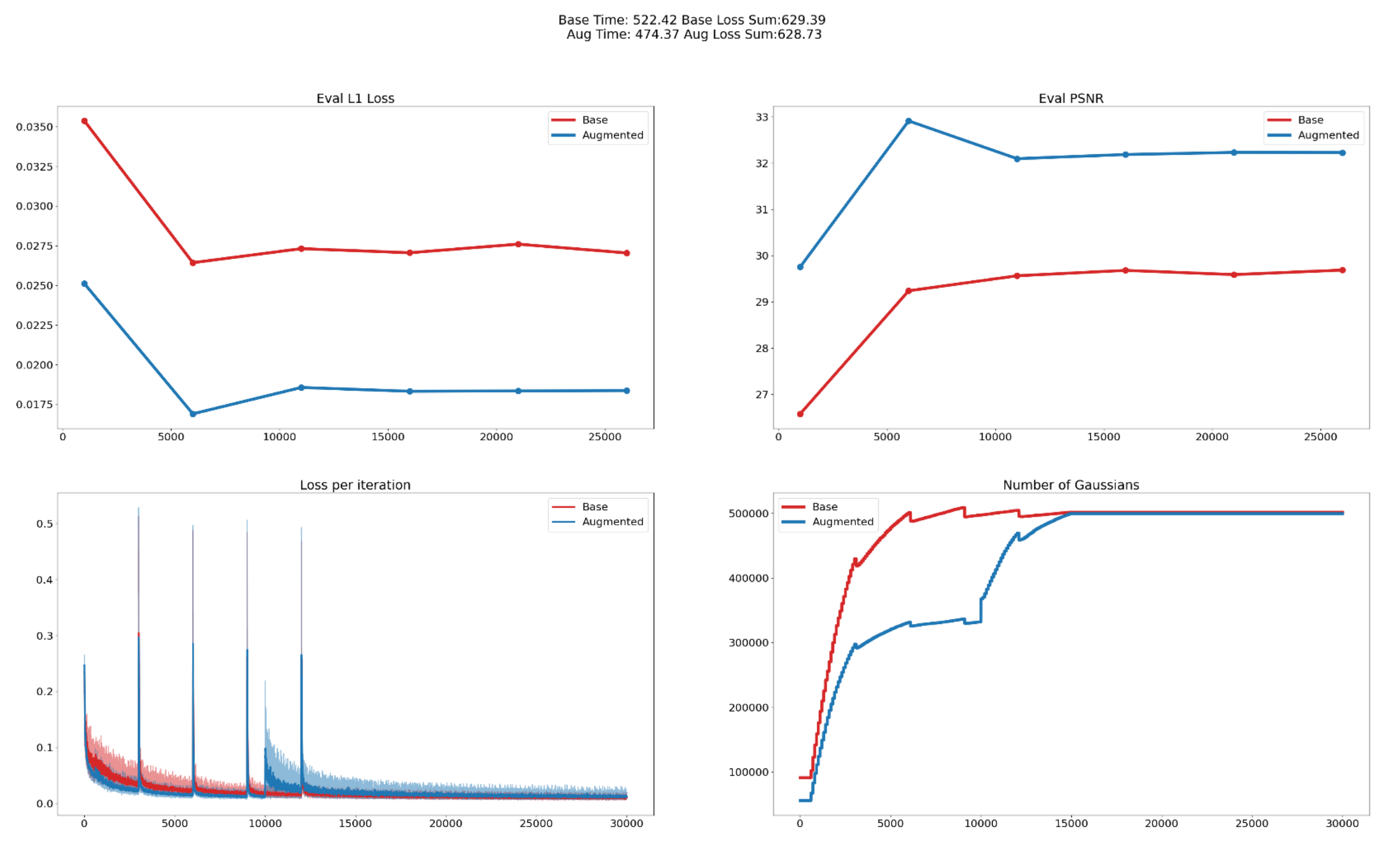
How to Run
Installation
# Clone the repository
git clone https://github.com/christoaluckal/gaussian-splatting.git --recursive
cd gaussian-splatting

# Create and activate environment (recommended)
conda env create --file environment.yml
conda activate gaussian_splatting
Running the Code
# Run the partitioning code from a COLMAP txt data source. This will create 'output folder/model0' and 'output folder/model1'python colmap_splitter/split.py \ -s 'original_COLMAP_txt_scene' \ -m 'output_folder' \ -f 'frame_name' \ --num_test 'number_of_test_images' # Run 3D Gaussian Splatting on the split dataset python train.py \ -s output_folder/model0 \ # Output folder (Has to have 'model0') -m output_name \ # Model name -r resolution_fraction \ # Downscale resolution factor (e.g., 2 for half-res) --eval \ # Use test images for evaluation --pkl_name output_pkl_name \ # Save metrics (time, loss, PSNR, etc.) to this PKL -x 1 \ # Number of extensions (1 when using split.py) --splitter_itr iteration_value # Iteration frequency for adding new Gaussian subsets
Output
The trained Gaussian model and reconstruction results will be saved to the output/ directory.